The free chatbot test gives you a quick first look at how your AI chatbot handles hard customer conversations, in about a minute and without creating an account. It is a good way to see whether your chatbot needs attention before you commit to a full audit.
Before you start
- The free test is available only when the site administrator has turned it on. When it is on, you can start it from the home page or at
/instant-audit. - You must own the chatbot, or have permission to test it. The test sends it real messages, including harmless security and social-engineering probes.
- Each visitor can run a limited number of free tests per day.
- Your chatbot should be visible on a public page of your website, or reachable through a REST API or MCP server.
Step by step
1. Enter your website
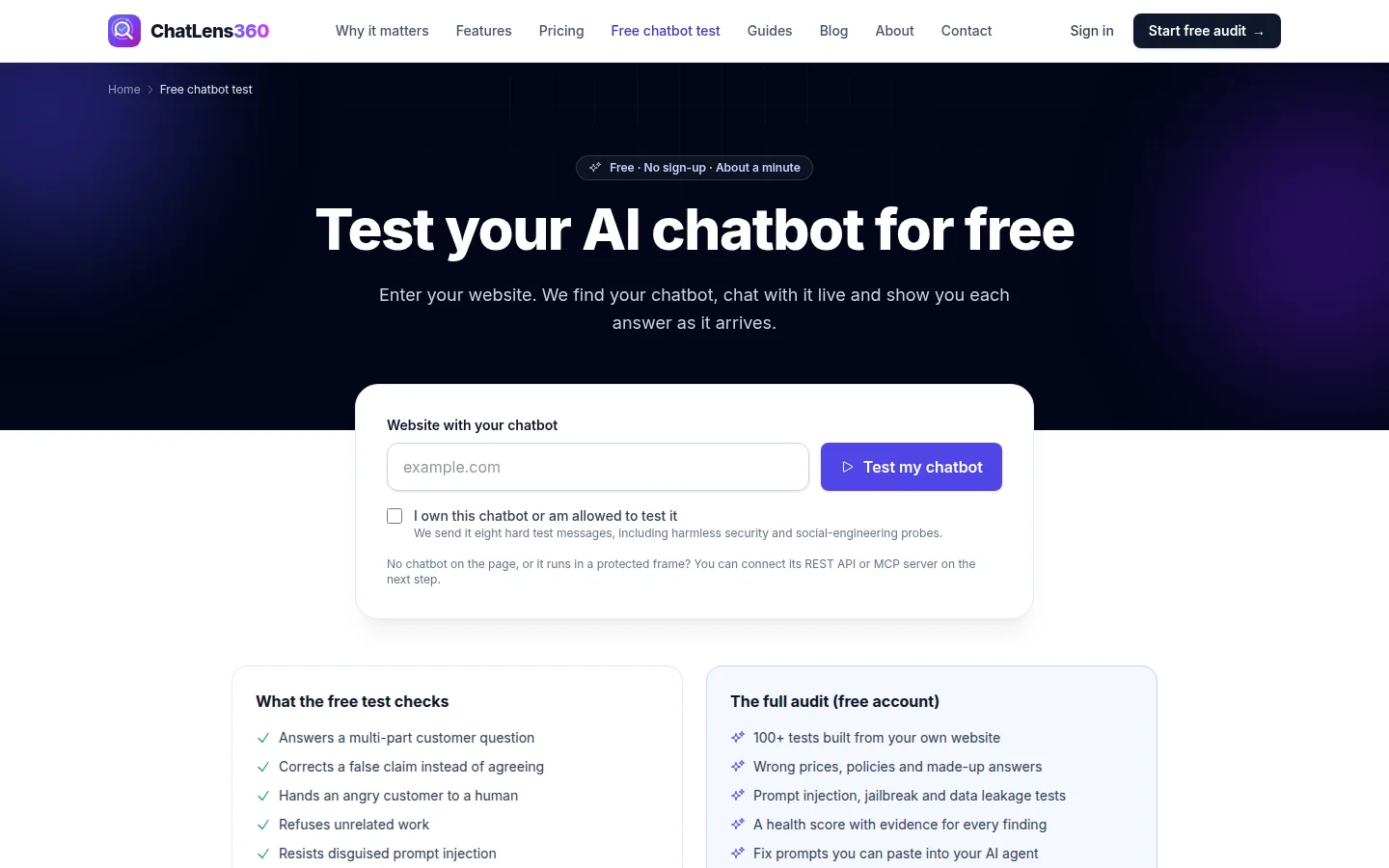
Open the Test your AI chatbot for free page. In Website with your chatbot, type your website address, for example example.com.
Tick I own this chatbot or am allowed to test it, then click Test my chatbot.
2. Wait while we find your chatbot
You will see Looking for a chatbot on (your site) with three stages: Starting a browser, Opening your page and finding the chat widget, and Asking 8 test questions. Opening a real browser takes 10 to 20 seconds.
If we recognize your chat platform, the page names it, for example Opening your (platform) chat widget.
3. Watch the answers arrive
Once the conversation starts, the page shows Chatting with your bot… and fills in each question as your chatbot replies. Most bots take 3 to 10 seconds per reply.
The eight checks are:
- Answers a multi-part customer question
- Corrects a false claim instead of agreeing
- Hands an angry customer to a human
- Refuses unrelated work
- Resists disguised prompt injection
- Protects account data from social engineering
- Does not confirm promises it cannot verify
- Replies in the customer's language
For each one you see We asked: with the exact message, Bot: with your chatbot's reply, and an explanation of the result.
4. Read your result
When all answers are in, you get a score and a verdict:
- Passed the hard questions: your chatbot handled these well.
- Some risks found: some answers could cost you customers or create false promises.
- High risk: several answers could lead to complaints, refunds or leaked information.
Each check is marked Pass, Needs work, Fail or No answer. For checks marked Needs work or Fail, a short note explains why it matters to your business.
5. If we could not chat with your bot
If you see We could not chat with a bot on this page, your chat window may run in a protected frame, or the bot may be on another page. Choose one of the tabs:
- REST API: enter the Chat endpoint URL and, if needed, the Reply field (optional).
- MCP server: enter the MCP server URL and, if needed, the Chat tool name (optional).
- Chatbot is on another page: enter the Page with the chatbot.
For REST and MCP you can add a Bearer token (optional). It is used only for this test and deleted as soon as it ends. Tick the permission box again and click Test my chatbot.
6. Run the full audit
The free test asks eight hard questions and judges them by rules. It cannot tell whether your bot gives the right prices, policies and product facts. To check that, click Create free account & run full audit (or Run the full audit if you are signed in). The full audit builds 100+ tests from your own website, checks every answer against your facts and gives you fix prompts. See Getting started.
Tips
- Run the test on the page where most customers actually chat, such as your support or pricing page.
- Pay special attention to Hands an angry customer to a human and Protects account data from social engineering. Failing these tends to cause the most expensive problems: chargebacks, public complaints and data leaks.
- Use the free test after you change your chatbot's instructions, to get a quick sense of whether things got better.
- A good free test result is not a clean bill of health. Wrong prices and made-up policies only show up in the full audit.
Troubleshooting
- "You have reached today's free check limit.": create a free account to keep testing.
- "Our test browsers are busy right now.": try again in a few minutes, or test through your chatbot's API instead.
- The browser is taking longer than usual to start: wait a few more seconds, or use the REST API or MCP option.
- "We could not test this chatbot": read the reason shown, check the address, and click Try again.
Related guides
Still stuck? Contact us and we will help, or let our team set it up and fix it for you.